Create New AdSense Account For Income – Creating a new Google AdSense account involves a series of steps to apply and get approved for the program.

Here’s a step-by-step guide on how to create a new Google AdSense account:
- Eligibility Check:
- Before you begin, make sure you meet the basic eligibility requirements. You typically need to have a website or a mobile app with valuable content that complies with Google AdSense policies.
- Prepare Your Website or App:
- Ensure your website or app has valuable and original content. It should be well-designed and user-friendly. Make sure it complies with AdSense policies, including no copyrighted material, adult content, or prohibited content.
- Sign Up for Google AdSense:
- Visit the Google AdSense website (https://www.google.com/adsense/start/).
- Click on the “Sign Up Now” button.
- Provide Your Website or App Details:
- Enter the URL of your website or app. Make sure this is a site you own and control.
- Choose the primary language of your website or app.
- Sign in with Google Account:
- If you’re not already signed in with your Google account, you’ll be prompted to sign in or create a Google account.
- Application Information:
- Fill out the application form with accurate information, including your name, address, phone number, and email address.
- Ensure that the information matches the details of the entity or person who will receive payments.
- Consent to AdSense Terms and Policies:
- Review and accept the Google AdSense terms and policies.
- Choose Your Account Type:
- Select either an individual or business account type, depending on your situation. Business accounts may require additional information and verification.
- Verification:
- Google may ask for additional information or verification depending on your location and the type of account you’re setting up. This may include providing tax information or verifying your phone number.
- Ad Code Placement (If Approved):
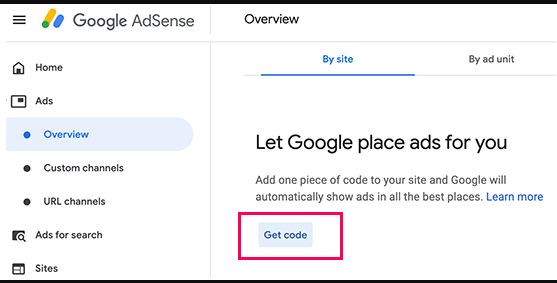
- After your account is approved, you’ll receive an email notification. Sign in to your AdSense account and generate ad code. Place this code on the pages of your website or app where you want ads to appear.
- Wait for Approval:
- Google AdSense Team will review your application and your website or app to ensure they comply with AdSense policies. This process may take a few days to a few weeks.
- Receive Approval or Disapproval:
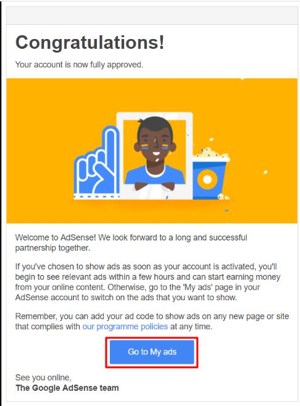
- You will receive an email from GOOGLE AdSence Team notifying you of the approval or disapproval of your AdSense account.
- Start Monetizing:
- If approved, it is the time to start displaying ads on your website or app and begin earning revenue instantly.
Please note that getting approved for Google AdSense can be competitive, and it’s essential to adhere to their policies to maintain your account’s eligibility. Additionally, be patient during the application review process, as it can take some time for Google to assess your application and website or app.
